Yt6 -- Snarl's YouTube Video Player (bookmarklet)
Latest version: 2026-08-18-02:22
Features
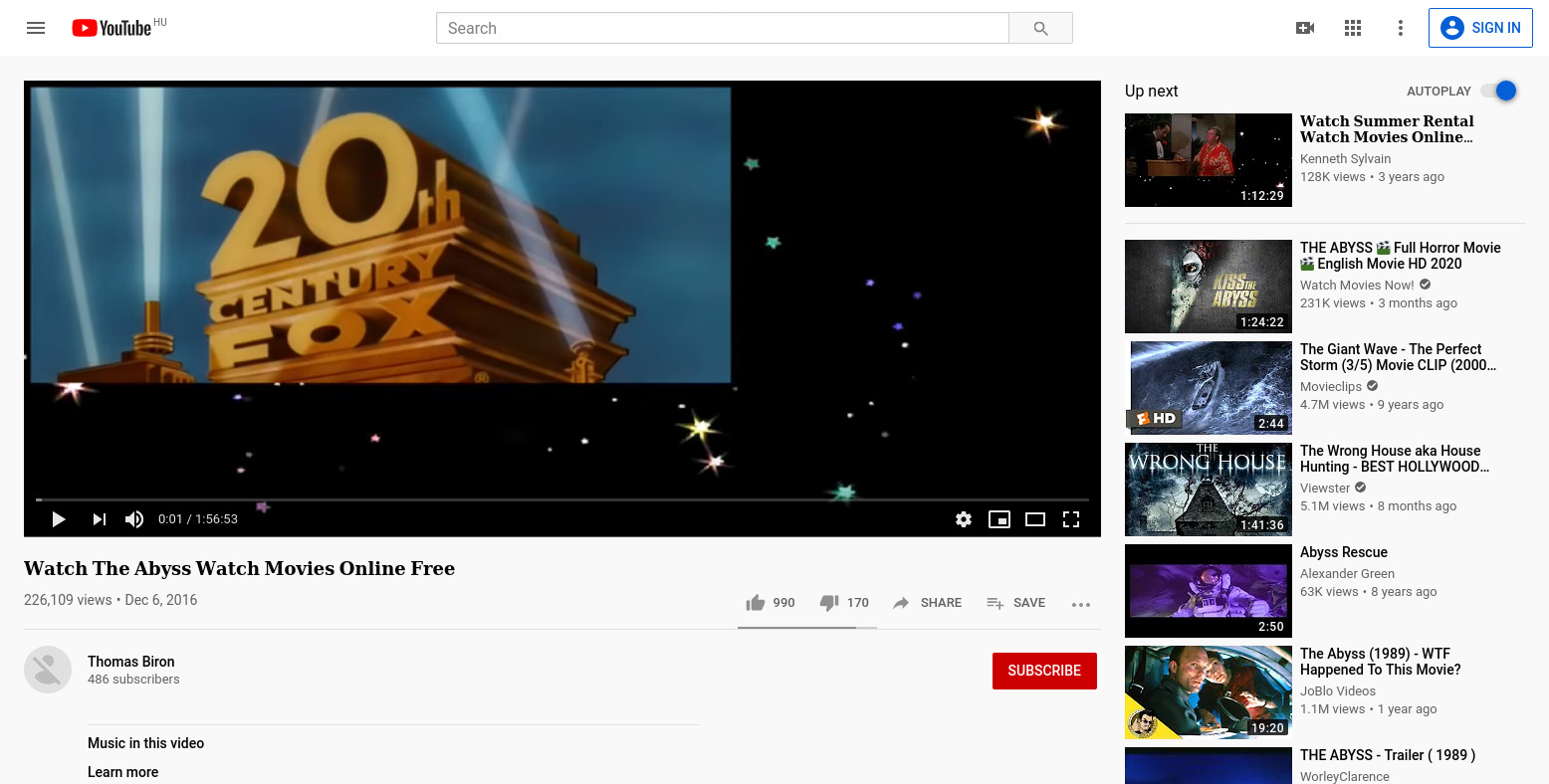
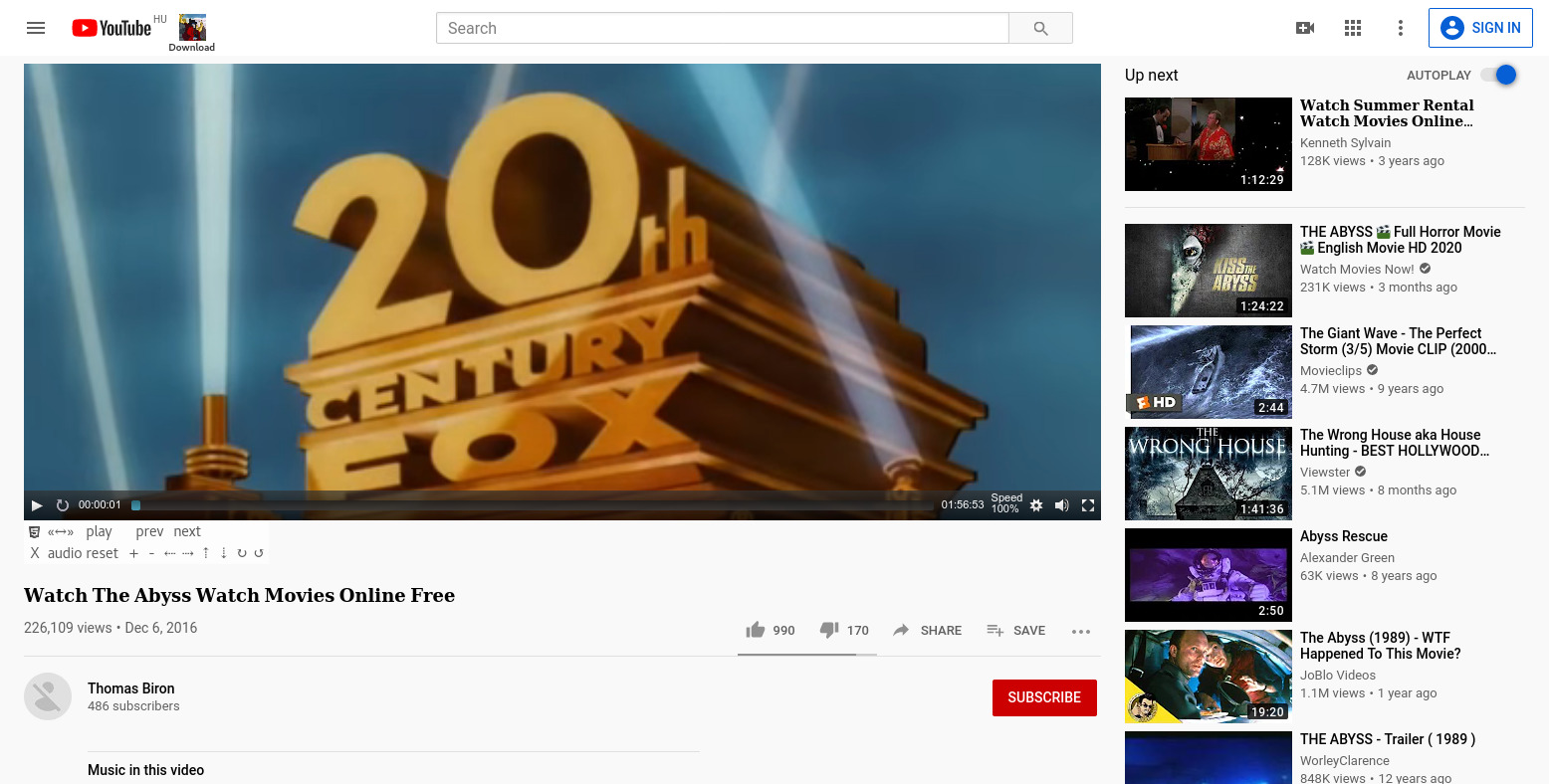
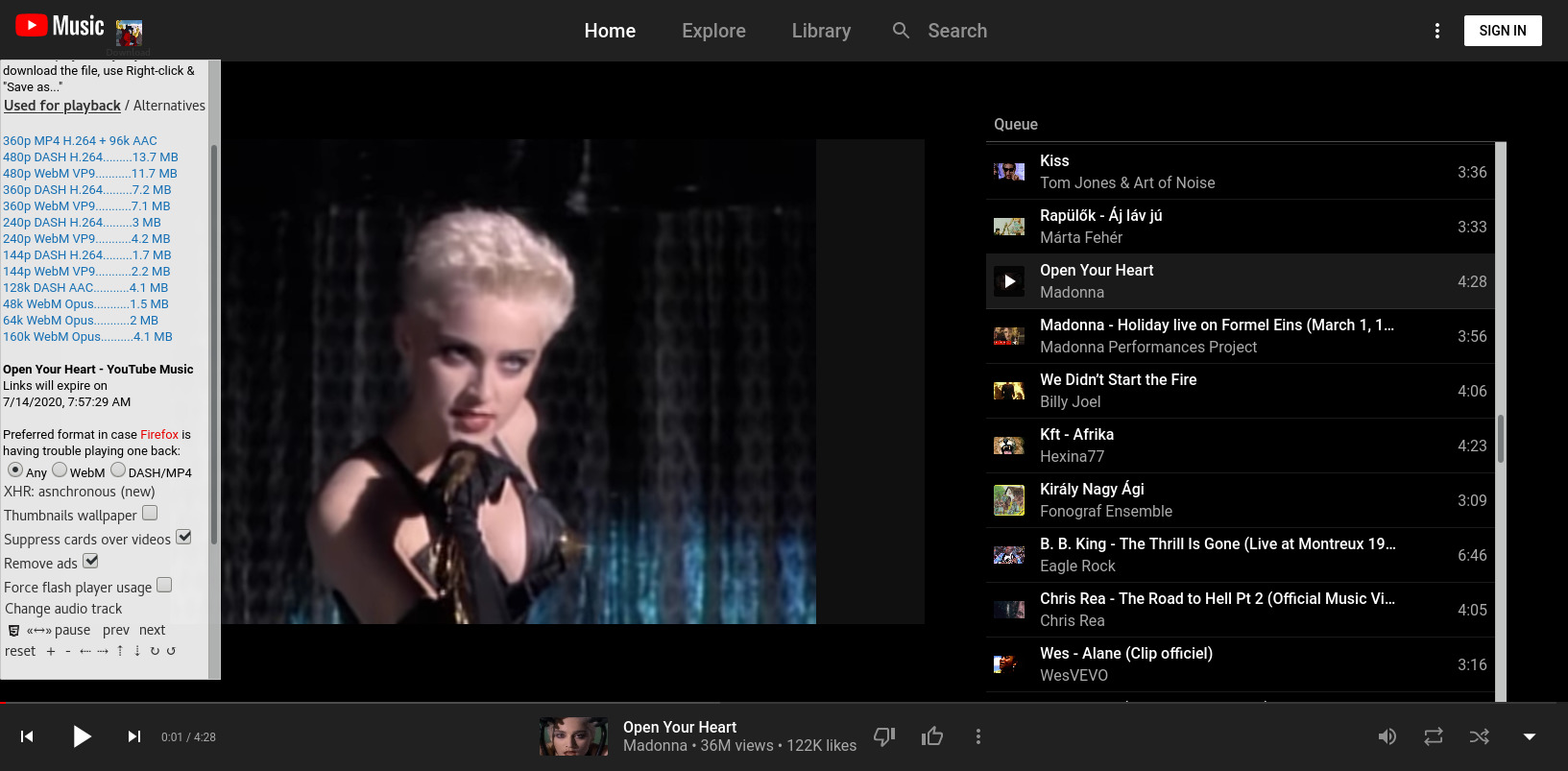
On any YouTube video (watch) page, this bookmarklet will call an external player and load some extra functions, some of which can be used with YouTube's original player as well. Written in pure javascript with the aim to be as much platform-independent and backward-compatible as possible. There is no installation, it works on-demand. Only a working internet connection is needed. The program is able to- Restrict on-site advertisement -- suppress endscreen cards, auto-skip or just auto-mute video ads (in case some may be interesting to you),
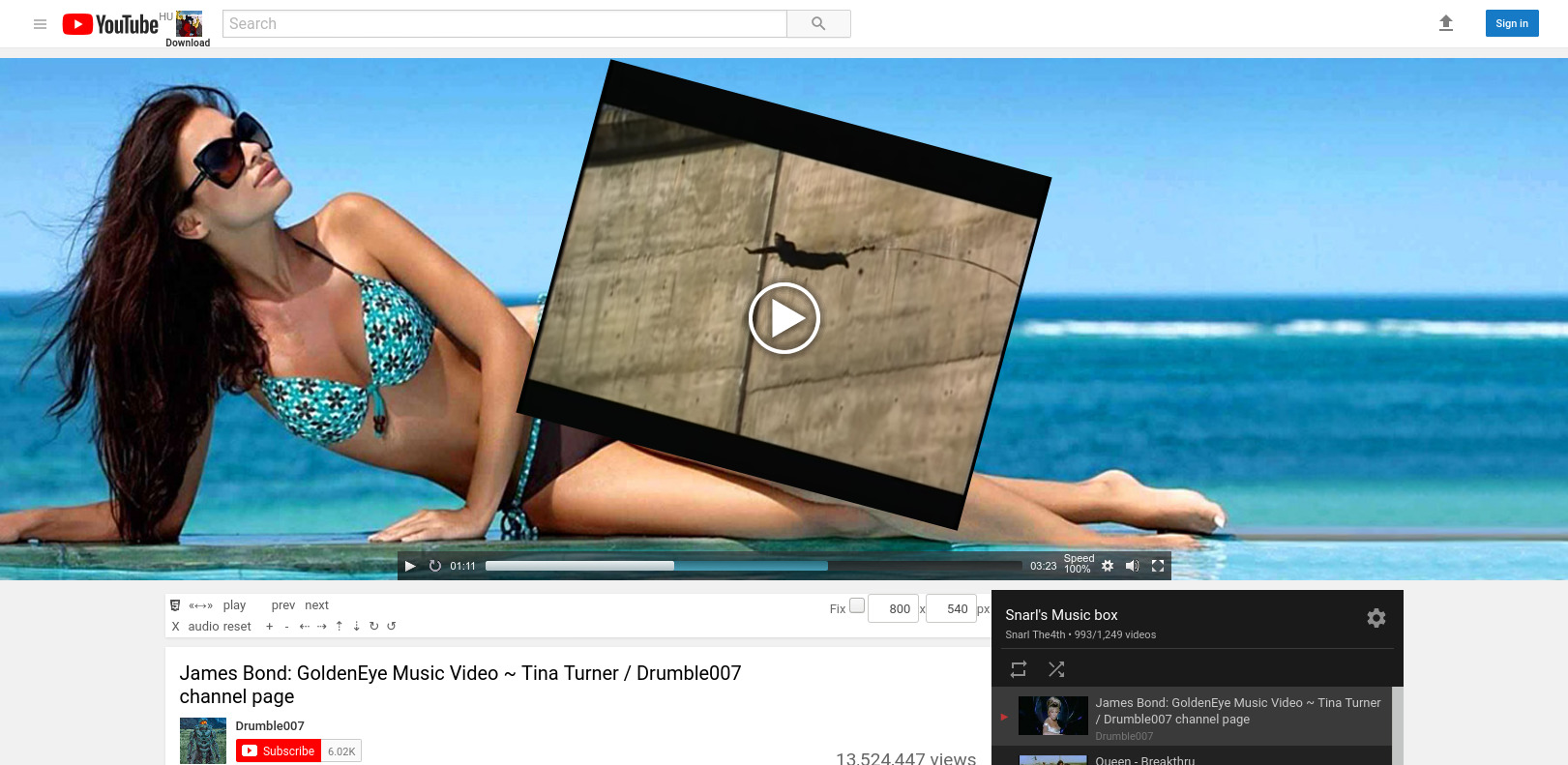
- Resize, zoom, rotate and move around video picture arbitrarily,
- Pick your favoured and supported video/audio codec and resolution for playback,
- Select a desired media segment to loop -- custom loop segments become active once the starting and ending time input fields disappear,
- Change playback rate ("speed" or tempo) from 0 up to 16x,
- Replace soundtrack with any external audio (or video) file across the net
- Boost audio level to fix very silent or very loud sound (same limitation as above),
- Download the video/audio content -- YouTube's throttling mechanism diminishes transfer rate. To speed it up, right-click on a download link, "Open in new tab", and start the download process from there by right-clicking the media & "Save as...",
- Save video commercials as well, usually accessible through the alternative links,
- "Shorts" videos media extraction (at least on desktop),
- Download subtitles/closed captions (CC)
-
On bookmarklet line, you can edit the value
of "add_subs" after the equal sign and between apostrophes (a comma separated list
of ISO 639-1 languge codes, such as
'en, de, fr, es, ja'...) to add Google-Translated tracks of your choice, - facilitate background play on mobile while sleep mode is on (varying success, depends on the device),
Bypass age verification-- Google patched the loophole late '24, the only option to watch videos like these is to use the credentials of an eligible YouTube account (i.e. log in)Make videos available on mobile which are otherwise restricted to desktop only; not working, patched as well
- Works only if you select a video-only format of the youtube video, and play it back with the progressive download method,
Keep in mind that this is not a browser extension.
If anything it is an extension of the YouTube video page.
Any event resulting in a browser page reload such as
-
- leaving the current YT subdomain,
- typing URLs directly to the address bar instead of following links,
- or even just navigating between two points in your browsing history where a full page refresh has already taken place
Please note:
Bookmarklet Setup
- Right click (on mobile, hold your finger) on the Yt6 link above, and "Copy link address".
- Bookmark any web page (this one for example)
- Edit the created bookmark's Properties / Location:
- Save the changes if there is a Save button!
- If you have no such option, the code is written in plain text below, select and copy it manually.
- delete its URL-address entirely and paste this snippet of javascript code in its place.
(Optionally, you can give it a name of your choice too.)
In many desktop browsers you can simply drag and drop the link to the Bookmarks Toolbar, or right click on it and select "Bookmark this link".
BOOKMARKLET CODE IN PLAIN TEXT (copy)
javascript:(function(){var v='a71ceeb3e5d7bbe647a197c6621d5a43a01c5a8b/yt6.js',y='youtube.com/',w=window,d=w.document,h=d.location.href,yt6=w.yt6||{},yt6d=w.yt6d||{},t=w.trustedTypes,n;if(yt6d&&yt6d.loaded>=4)return void 0;if(h.split(y+'watch')[1]||h.split(y+'embed')[1]||h.split(y+'playlist')[1]||h.split(y+'shorts')[1]||h.split('/base.j')[1]=='s'){var id='snarls_player',e='script',q,u=function(s){if(typeof s=='string')return s};try{t.createPolicy('default',{createHTML:u,createScriptURL:u,createScript:u,})}catch(f){};if(yt6)yt6.loaded=0;function s(x){x=x||id;return d.getElementById(x)};function gt(x,f){return f.getElementsByTagName(x)};function gn(){n=gt('head',d)[0];n=(n)?gt('link',n)[0]:'';if(!(n&&n.nonce)){n=gt('script',d);var i;for(i=0;i<n.length;i++)if(n[i]&&n[i].nonce){n=n[i].nonce;break};if(typeof n!='string')n=''}else n=n.nonce;return n};function c(e){e=d.createElement(e);e.nonce=gn();return e};function a(q){s().appendChild(q);gt('script',s())[0].setAttribute('nonce',gn());s().add_subs='en,hu,de';s().version='2026-08-18-02:22';if(yt6d)yt6d.src=q.src};function r(){if(s()){var x;try{x=s().querySelector('#'+id)}catch(e){x=s().firstChild};if(x)s().removeChild(x)}};function b(){var i,j,o,x;o=['rawcdn.githack','js','cdn.rawgit'];for(j,x,i=o.length;i;j=Math.floor(Math.random()*i),x=o[--i],o[i]=o[j],o[j]=x);q=c('div');q.id=id;if(q!=s())d.body.appendChild(q);var src='https://'+o[0]+'.com/snarly/yt6/'+v,src0='https://cdn.jsdelivr.net/gh/snarly/yt6@'+v;
function oc(ox,oy,sr){h=(oy!='js')?sr.replace(ox,oy):src0;if(yt6d)yt6d.src=h;return h};q=c(e);q.id=id;q.src=(o[0]!='js')?src:src0;if(yt6d)yt6d.src=q.src; q.onerror=function(){q=c(e);q.id=id;q.src=oc(o[0],o[1],src);q.onerror=function(){q=c(e);q.id=id;q.src=oc(o[0],o[2],src);q.onerror=function(){q=c(e);q.id=id;q.src=oc(o[0],o[3],src);q.onerror=function(){q=c(e);q.id=id;q.src=src.replace('https','http')};a(q);r();};a(q);r();};a(q);r();};try{a(q);}catch(f){a(q)};};function g(){try{deldiv()}catch(f){r()};b()};if(!s()){b()};setTimeout(function(){var t=w.yt6;if(t)t.loaded=t.loaded||window['status'];if(!t||(t&&(!t.body||(t.loaded<3))))g()},3000);}else{void 0};})()/*2026-08-18-02:22*/
Userscript Setup
It is possible to use the bookmarklet code as a userscript with the help of add-ons like-
Greasemonkey (for Firefox),
Tampermonkey (for Firefox, Chrome, Edge and Opera)
Violentmonkey (for Firefox, Chrome and Edge) or
Wildmonkey (for Firefox, Chrome and Edge)
USERSCRIPT CODE IN PLAIN TEXT (copy)
// ==UserScript==
// @name         Yt6 -- Snarl's YouTube Video Player (userscript)
// @namespace    yt6
// @version      2026-08-18-02:22
// @author       Snarl
// @description  Auto-Load Yt6 script as soon as possible
// @match        https://*.youtube.com/watch*
// @match        https://*.youtube.com/embed/*
// @match        http://*.youtube.com/watch*
// @match        http://*.youtube.com/embed/*
// @grant        none
// @run-at       document-end
// @icon         https://yt3.ggpht.com/-afBnHVG_R6E/AAAAAAAAAAI/AAAAAAAAAAA/LtE5kbPkZvE/s27-c-k-no-mo-rj-c0xffffff/photo.jpg
// ==/UserScript==


(function(){

  window['yt6'] = {}; window['yt6d'] = {};

  var idle_time = 1500 // wait some time before running the bookmarklet part, you may need those extra seconds especially if you're logged in to YouTube

  var onComplete = function(){ //javascript:
	(function(){var v='a71ceeb3e5d7bbe647a197c6621d5a43a01c5a8b/yt6.js',y='youtube.com/',w=window,d=w.document,h=d.location.href,yt6=w.yt6||{},yt6d=w.yt6d||{},t=w.trustedTypes,n;if(yt6d&&yt6d.loaded>=4)return void 0;if(h.split(y+'watch')[1]||h.split(y+'embed')[1]||h.split(y+'playlist')[1]||h.split(y+'shorts')[1]||h.split('/base.j')[1]=='s'){var id='snarls_player',e='script',q,u=function(s){if(typeof s=='string')return s};try{t.createPolicy('default',{createHTML:u,createScriptURL:u,createScript:u,})}catch(f){};if(yt6)yt6.loaded=0;function s(x){x=x||id;return d.getElementById(x)};function gt(x,f){return f.getElementsByTagName(x)};function gn(){n=gt('head',d)[0];n=(n)?gt('link',n)[0]:'';if(!(n&&n.nonce)){n=gt('script',d);var i;for(i=0;i<n.length;i++)if(n[i]&&n[i].nonce){n=n[i].nonce;break};if(typeof n!='string')n=''}else n=n.nonce;return n};function c(e){e=d.createElement(e);e.nonce=gn();return e};function a(q){s().appendChild(q);gt('script',s())[0].setAttribute('nonce',gn());s().add_subs='en,hu,de';s().version='2026-08-18-02:22';if(yt6d)yt6d.src=q.src};function r(){if(s()){var x;try{x=s().querySelector('#'+id)}catch(e){x=s().firstChild};if(x)s().removeChild(x)}};function b(){var i,j,o,x;o=['rawcdn.githack','js','cdn.rawgit'];for(j,x,i=o.length;i;j=Math.floor(Math.random()*i),x=o[--i],o[i]=o[j],o[j]=x);q=c('div');q.id=id;if(q!=s())d.body.appendChild(q);var src='https://'+o[0]+'.com/snarly/yt6/'+v,src0='https://cdn.jsdelivr.net/gh/snarly/yt6@'+v;
    function oc(ox,oy,sr){h=(oy!='js')?sr.replace(ox,oy):src0;if(yt6d)yt6d.src=h;return h};q=c(e);q.id=id;q.src=(o[0]!='js')?src:src0;if(yt6d)yt6d.src=q.src;q.onerror=function(){q=c(e);q.id=id;q.src=oc(o[0],o[1],src);q.onerror=function(){q=c(e);q.id=id;q.src=oc(o[0],o[2],src);q.onerror=function(){q=c(e);q.id=id;q.src=oc(o[0],o[3],src);q.onerror=function(){q=c(e);q.id=id;q.src=src.replace('https','http')};a(q);r();};a(q);r();};a(q);r();};try{a(q);}catch(f){a(q)};};function g(){try{deldiv()}catch(f){r()};b()};if(!s()){b()};setTimeout(function(){var t=w.yt6;if(t)t.loaded=t.loaded||window['status'];if(!t||(t&&(!t.body||(t.loaded<3))))g()},3000);}else{void 0};})()
    ////2026-08-18-02:22//
  }

  var check = function(){ // conditions to meet before loading
    var x = window['performance']
    if (x && x.timing && x.timing.loadEventEnd > 0 && x.timing.loadEventEnd >= x.timing.domComplete && window['yt6'] && !window['yt6'].body) //setTimeout(function(){ window['yt6'].body = 1 }, 1000); if (window['yt6'].body === 1)
      return true
  }

  if (check()) {
      setTimeout(function(){ onComplete() }, idle_time)
      return
  }

  var delay = 1000, timeout = 30000 // after timeout loading the Yt6 script will be attempted even if the video page still has not finished constructing itself

  var timeoutPointer
  var intervalPointer = setInterval(function () {
      if (!check()) return

      clearInterval(intervalPointer)
      if (timeoutPointer) clearTimeout(timeoutPointer)
      if (typeof onComplete == 'function') setTimeout(function(){ onComplete() }, idle_time)
  },delay)

  if (timeout) timeoutPointer=setTimeout(function () {
      clearInterval(intervalPointer)
  },timeout)

})()
Note:
-
If the program launched via userscript appears dysfunctional in Desktop view, edit the
userscript code through the manager's Dashboard* and try to set the idle_time variable
to a higher value (the number is in milliseconds).
Prerequisites
If you use addons like NoScript (recommended for advanced users), make sure to
Whitelist / Trust these domains permanently:
githubusercontent.comjsdelivr.net
githack.com
rawgit.com
api.codetabs.com
youtube.com
googlevideo.com
---
Whichever extension you chose to install, don't forget to enable it in private / incognito mode as well! It is done through the browsers's extension list, on the specific addon's Details / Manage page.
Be warned that CSP exists to protect users from malicious script attacks. You should therefore make yourself a habit of turning CSP back on whenever you don't actually need that shield lowered.
Desktop browser addons
- Simple Modify Headers
- for Mozilla Firefox and its derivatives
- Chrome Web Store*
- Microsoft Edge Store
Use the "Configure" option of the addon-icon and edit the data fields with values of one of the following combinations:
... or ...Url Patterns: https://*.youtube.com/*Action ModifyHeader Field Name Content-Security-PolicyHeader Field Value script-src 'unsafe-eval' 'self' 'unsafe-inline' 'none' https://www.google.com https://apis.google.com https://ssl.gstatic.com https://www.gstatic.com https://www.googletagmanager.com https://www.google-analytics.com https://*.youtube.com https://*.google.com https://*.gstatic.com https://youtube.com https://www.youtube.com https://google.com https://*.doubleclick.net https://*.googleapis.com https://www.googleadservices.com https://tpc.googlesyndication.com https://www.youtubekids.com https://www.youtube-nocookie.com https://www.youtubeeducation.com https://www-onepick-opensocial.googleusercontent.com https://cdn.jsdelivr.net https://rawcdn.githack.com https://cdn.rawgit.comComment allow jsdelivr githack rawgitApply on Response
Url Patterns: https://*.youtube.com/*Action DeleteHeader Field Name Content-Security-PolicyHeader Field Value Comment disable csp on youtube onlyApply on Response
Click "Save"... "Start" / "Stop" the addon as needed, and reload the YT page. - Disable-CSP -- Simple ON / OFF switch, handles all websites at once (in our case it's enough to toggle the HTTP CSP)
- Allow-CSP -- Simple ON / OFF switch, handles all websites at once
Pale Moon browser still has the
security.csp.enabled preference key available on its about:config internal webpage for users to set it to either true or false.
Mobile browser addons
- Simple Modify Headers Extended for Firefox Mobile
- Violentmonkey and Tampermonkey in conjunction -- the savior to Edge Mobile
- On Tampermonkey's Dashboard / Settings, "Config mode" needs to be set to "Advanced" -- this will make the Security section appear on the same page
- Look for the line
"Modify existing security policy (CSP) headers:" and select "Remove entirely (possibly unsecure)" - Tap "Save" at the end of the Security section
- You can add the Yt6 userscript to either Violentmonkey or Tampermonkey -- delete the auto-generated default script-template, select, copy and paste the userscript code above, and save the changes. This must be completed in a regular browser window, and private windows with YT content need to be closed and reopened after these edits were made.
You have to install and allow them to "Run in InPrivate" through the browser's Extensions / Manage extensions menupoint. (Only the few addons listed there are compatible with recent builds of Edge Mobile, the versions found in the web stores are not.) There is a chance Tampermonkey may work on its own, Violentmonkey needs assistance from Tampermonkey.
- To set it up, open a page on YT, and under browser Settings / Extensions, tap the name of this extension -- instead of the gear sign next to it -- then tap Configure and select the predefined "disable CSP" Rule Set for a similar effect to having Disable-CSP or Allow-CSP turned on on a Chromium-based browser.
On desktop, you can restrict this add-on to activate on YouTube only: use the "+Add" button next to the Rule Set field, give the new Rule Set a telling name like youtube, and set the same values shown on one of the two tables for Simple-Modify-Headers above, with the exception of "Url Pattern:" which record here is renamed to "When URL contains:" and its value must be set to
.youtube.com/
Other useful addons
uBlock Origin is the recommended prescription against YouTube ads on Firefox-like, Chromium-like, Opera and Edge browsersor
uBlock Origin Lite for Google Chrome and Microsoft Edge
-- A lighter, less effective version by the same developer, in case your browser is having a feud with adblockers. Under some circumstances it may even be an obstacle for the Yt6 script. If so, set it to a more permissive level of filtering or disable it altogether.
User-Agent Switcher and Manager for Firefox
Nowadays one needs to emulate a mobile device on desktop as well in order to have a higher chance of getting all the download links extracted, not just the old 360p MP4 fallback format. (Or in case of music, you can try the same video on the music.youtube.com subdomain.)
Chromium-based browsers can do this emulation effortlessly with the help of their built-in Web Developer Console -- Ctlr+Shift+J (for each browser tab), then leave it open, and look for its Device emulation button, usually called "Toggle device toolbar", to turn emulation on and off.
On Firefox, the same is achieved through Ctrl+Shift+K and the button is called something like "Responsive Design Mode", however YouTube may disable access to the download links if we merely use one of the built-in, old device IDs.
The User-Agent Switcher and Manager extension will fix this issue. Select Firefox and Android from its drop-down menus, and enter a legit, recent device ID on the userAgent line, such as:
Mozilla/5.0 (Android 15; Mobile; rv:151.0) Gecko/151.0 Firefox/151.0
Then push "Apply (this tab)" or "Apply (all tabs)". The final step is to change the www.youtube.com part on the browser's address line to m.youtube.com and hit ENTER.
Sometimes YouTube keeps enforcing its desktop version. If so, delete the "&app=desktop" URL-parameter from the address line, and hit ENTER again. If it does not help, you may need to use a different userAgent string to emulate a different device.
(When you no longer need the emulated mobile environment, simply disable the extension and close the Developer Console.)
How to use
On Desktop, just click on it on your bookmarks list whenever you enter a YouTube video you want to play around with.On Mobile
- Tap the browser's address bar first (NOT the YouTube search bar!)
- Once you start typing its name ("Yt6" or whatever you named it),
- Tapping on the correct entry shall initiate the call.
- this should select / highlight the whole URL-address of the current YouTube video
page.
-
the browser should suggest the bookmarklet as an available option.
Loading time depends on your internet connection and the current traffic on the storage servers, but it should be up and running within a few seconds.
Automatic playback depends on the state of YouTube's own "Repeat / Loop Playlist" button (the circular arrows) on user-created playlists.
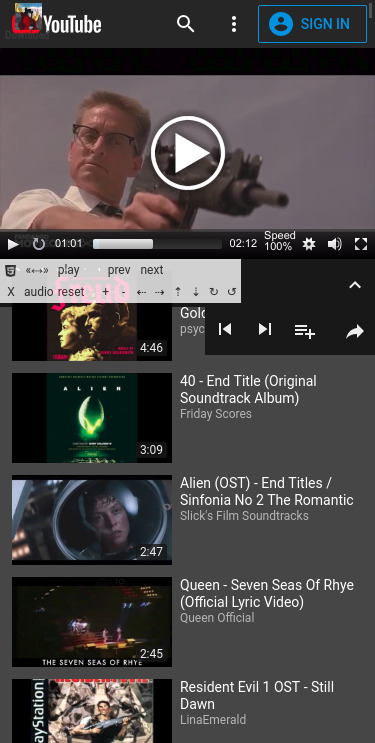
Use the HTML5 emblem on the control panel to switch between the native and this alternative player. There is a backup of the control panel located at the lower end of the download box, use that whenever the regular one disappears.
The X button below the HTML5 emblem is to remove the code by reloading the current video in a different environment (if it is available), after entering a number when prompted:
-
0 -- is for debugging purposes only,
1 -- switch back to the standard layout,
2 -- to load a window/screen-sized video embed frame,
3 -- the YouTube Music subdomain version (available for musical content only).
Issues with usage on Mobile
A newly implemented trick by YouTube is to divert the upcoming video's media sources to 3rd party commercials or self-promoting videos each time we hit the site's own buttons or native links to navigate around, thus the next time any other code tries to access the same sources would only get the latter ones instead.
To solve this, the program now places self-generated links on top of video thumbnails to keep the media sources intact. A "jump to next" icon means the thumbnail is OK to tap, but your safest bet is to tap the icon itself because if you rotate your device by 90 degrees, the thumbnails may be automatically rescaled to a different size while the covering elements over them won't. YouTube links represented by written text remain unchanged, so you can test and compare the two type of links for navigation and see how the diversion works.
(Attempted) Background play on Mobile
Google made some huge changes to the YouTube code over the second half of 2024. The once lightweight Mobile UI is becoming more and more robust like the Desktop version of YouTube, so users of older devices can experience major slowdown. That's a fact independent of this script.The recommended format for continuous background play is now either
- the 160k WebM Opus (251) audio or
- the 128k DASH AAC (140) audio format.
Supported browsers
On Desktop, the script should work with almost any browser. The only criteria is that they must support the usage of bookmarklets or have add-on capabilities to install a userscript manager, which most of them do.Below is a list of popular Mobile browsers, ranking them based on how well they handle background play on a sleeping mobile device using the alternative player. (A device only enters actual sleep mode when there is no connection to any external power source through cable.)
- Firefox
the uBlock Origin add-on is working again
- Firefox Nightly
works reasonably well even without uBlock Origin
- Waterfox
no support for bookmarklets, opt for the userscript solution
Bad
Chromium-based browsers have been actively preventing background play on mobile for some time now. You may get away with a couple of videos in a row on older versions of the Android OS.
- Kiwi
- Edge
Ugly
Unsupported mostly due to YouTube's new Content Security Policy (CSP)
- Brave
- Vivaldi
- Google Chrome
- Ecosia
- Mull*
- DuckDuckGo
- Chromium*
- Bromite*
- Yandex
- Opera
- Firefox Focus, Samsung, Qwant, Mint ...
Good
*Browsers available (only for older versions of the OS) through F-Droid, an alternative app store for Android.
When this counts down mobile support may be gone altogether because of the potential redaction of all anti-CSP addons which are now indispensable for bookmarklets.
Legacy browsers
Till June/July of 2020 the bookmarklet was usable with really old browsers too that were dated back to around the IE7/8 era (with the help of the Adobe Flash plugin), but now that YouTube enforces its bug-filled new layout, they broke compatibility with them.Still, I found a way to make use of this script with outdated browsers anyway.
It's obviously discouraged to use them because of the myriad of security holes that can be found in such old sowftware, not to mention that the development of Adobe Flash also ended officially in 2020. It is possible to reactivate Flash, although only Firefox 84, Edge 87, Chrome 87 and older browsers will acknowledge the presence of the plugin now. But in case you have no other option, the possibility is there.
The trick is to visit the "embed" page which contains a stripped-down code normally used to create an embedded video on other websites. There is literally nothing on these pages beside the player itself, therefore it's super lightweight which makes it a legit choice even for modern browsers (if you just want to listen to a playlist in the background). It's clunky and inconvenient to use on mobile, not recommended there. On desktop, it's okay.
Unfortunately, YouTube now does not want us to do this either. They have implemented a piece of code which makes the embed page unusable if we simply copy the embed URL to the address bar. The workaround is to access the embed page through a referrer like a HTML-link placed on any web page on any domain other than YouTube's own domain. I made some of the example URLs below clickable, which shall open them like the copy-paste method used to before the corporate meddling.
Do not navigate to a different video and do start & stop the video in the desired resolution(s) before loading the script, otherwise link extraction may fail.
Regular video URL with playlist
https://www.youtube.com/watch?v=mfTpjrzas5E&list=PLNxOe-buLm6cz8UQ-hyG1nm3RTNBUBv3K
The "embed" variant
https://www.youtube.com/embed/mfTpjrzas5E?list=PLNxOe-buLm6cz8UQ-hyG1nm3RTNBUBv3K
Video beyond the 200-entry limit on the same playlist
https://www.youtube.com/embed/d020hcWA_Wg?list=PLNxOe-buLm6cz8UQ-hyG1nm3RTNBUBv3K
Pro: the alternative player can play videos which are otherwise blocked from view in embedded frames.
Con: due to a YT limitation you can only navigate through the first 200 videos on a longer embedded playlist.
Tip: start, then pause the native embedded player, then select your desired resolution(s) under the Gear / Settings button right before you would load the script -- on copyrighted videos this will give you acccess to those specific resolution(s) for download (the rest will be inaccessible). The same goes for the YouTube Music subdomain. Sadly, we cannot choose the video codec this way, YT makes that decision for us.
Tip #2: The "monkey" userscript managers are capable of loading the program code even inside embedded YT frames like the one below. It is advisable to have the Yt6 userscript turned off by default, and turn it on only when you need it. Also, better avoid to have it turned on on pages containing lots of embedded videos!
Optionally HD video in embedded frame with copyrighted content
https://www.youtube.com/embed/nVhNCTH8pDs?list=PL0SqtI95X6o3xmzWnIwD_BgVQyjXkuT_u
Stream capturing
The yt6 script can expose URLs in the sourcechooser / download box which doesn't seem to work -- there is no way to load them for playback, and trying to download the linked content would either result in a zero-length file or merely a short segment of a live stream.That's because there is no contiguous media file behind those links. Only fragments of media -- hardly usable in the old-fashioned way -- meant to be streamed by a player capable of streaming. You can recognize these URLs as video- or audio-only sources which have no file size displayed next to them. Since a recent update of the yt6 code, along with the stream URLs appears a link to a "DASH Manifest", and in case of live streams, a "HLS Manifest" too, which are XML documents containing info on the streamable bits.
Here is one example of the "yt_otf" type.
I wrote a small bash shell script called
yt_streamcat which makes it possible to save
the media behind those type of URLs as well. It's a Command Line Interface (CLI) utility
which relies on a widely used binary program called wget to be installed on the system.
Having ffmpeg, "The swiss army knife of Internet Streaming" installed is a huge bonus,
and in case ffmpeg produces broken media, you may need an alternative tool capable of
media muxing, such as mencoder, to process the broken file and fix it for good.
The script is supplementary code to do the job which is not possible for the yt6 main program in a javascript environment. Save the program file (link below) to an accessible subfolder on your computer -- preferably a dedicated folder you don't mind getting filled up with temporary media file segments -- open a virtual terminal with the bash shell running and change working directory ("cd" in)to that folder.
Currently, the script has only a Linux version available, but it shouldn't be too hard to port it to Windows.
Under Linux, newly created or downloaded files cannot be run by default, regardless of whether they are meant to be executables or not. Technically speaking they are not marked as executable, for security reasons. In order to make a file executable for your own user only, you must run the following command at the shell prompt:
chmod u+x [path to file/]filename
The script command itself must be issued the following way:
./yt_streamcat target_file "stream_base_URL" start end "2nd_stream_URL"
where
./ means the program file is located in the current directory (in Windows, .\ would
mean the same thing)yt_streamcat
- is the script file we run as our command
target_file (mandatory)
- is a user-specified file the media segments are going to be written into -- must not
exist yet, if it does, the script will abort to prevent an accidental overwrite
"stream_base_URL" (mandatory)
- is a YT stream source URL originating from one of the two possible types of videos
mentioned above, extracted by the yt6 main program. Must be enclosed in quotation
marks to prevent bash from misinterpreting each URL-parameter (after each "&"
sign) as yet another command to run in the background.
start (optional)
- is the number of the segment the media should begin download from. For live
streams, you should give this a value somewhere between the first and last
available "sq" (segment query?) parameter values which you can read on the DASH and HLS
Manifest URL lines. If you go over that range, the download will start with the
most recent live segment. If you go below it, the download will stall.
end (optional)
- is the number of the ending segment, or if it's less than the previous number, it will
be interpreted as the number of segments to download
"2nd_stream_URL" (optional)
- to save another track parallel to the first one (an audio stream, maybe?). Must be
between quotes as well. (You must specify the previous two options in order to be
able to specify this fifth one.)
#!/bin/bash

./yt_streamcat v \
"https://[...]googlevideo.com/videoplayback?[...]" \
100 \
150 \
"https://[...]googlevideo.com/videoplayback?[...]"
where the target file will be "v" (thus the secondary source will be saved to "vA"), number 100 is going to be the first segment to be saved and 150 will be the last. Notice the
\ character, which is the escape character in most programming languages.
It escapes a line break inside the wrapper for the lines before and after it which bash
is supposed to interpret as a single line of command. (No other character must be present
between the escape character and the following invisible newline character.) You can
name the wrapper file anything you want, just make it executable the same way as
above, then enter ./[wrapper_filename], and it will run the command(s) inside of it.
One way to abort a running bash script process is to hit Ctrl+C on the terminal. A temporary helper script is always generated automatically for such events to take care of the remaining minimum steps in the muxing procedure. Its default filename is
0[target_filename]-yt_streamcat-ffmpeg, you just have to execute
it.
In my tests, live-streamed webm video content seemingly encoded as 30fps, had to be regularly remuxed to a framerate of anywhere between 36 and 36.25fps in the saved file, then also remove one segment from the beginning in order to get it synced up with the audio track. No idea why that is the case, but it is. For higher framerates, the difference should be even larger.
Remuxing commandline examples:
To fix a broken mp4mencoder v.mp4 -ovc copy -o v2.mp4To change the framerate of a webm from 30 to 36
mencoder v.webm -ovc copy -mc 0 -noskip -fps 30 -ofps 36 -o v2.webmTo cut the first video segment out, mencoder's seek option must be a bit less than each segment's duration, so if they are 5 seconds long, 4 seconds will do
mencoder v2.webm -ovc copy -ss 4 -o v3.webmFinally, to mux the video and audio into one matroska file
ffmpeg -i v3.webm -i vA.aac -c:v copy -c:a copy v.mkvCheck if the mkv is playable, then remove the intermediate files.
__
Credit should go to the authors of their respective open source code I had my own built around:
John Dyer - Mediaelementplayer - http://mediaelementjs.com/
Christian Heilmann - Transformvideo - http://github.com/codepo8/rotatezoomHTML5video
Steven Penny - Youtube download bookmarklet - (closed account)
This program is free to use for anyone.
__
Important Notes
-
On videos with strong copyright protection, it is often the case that YouTube sends deliberately wrong signature decryption keys on the first try. I did not implement a fully automatic update of video signatures because of the high risk of infinite loop on repeated failure. You MUST switch over to the alternative player to manually initiate playback on multiple formats till enough errors occur for the updating procedure to fire. The video can be downloaded as soon as it becomes playable on the alt-player. The appearing blue gauge on its time rail shows that the video data has arrived and is buffering.
-
The alternative player of Yt6 uses the Progressive Download method to access video & audio instead of the Adaptive Streaming YouTube's own player had as the default since late 2013.
Both have their pros and cons. With the former, media is getting piled up in the browser's cache during playback, which means there must be enough free space for storage either in the system RAM or on the disk. While in the case of streaming, you only have tiny slices of the media buffered at all times, which in turn requires higher CPU-power and constantly fast network speeds.
Consequently, for live streams or Ultra-HD videos it is recommended to switch over to YouTube's native player, as it is much better suited for those.
To make sure your browser chooses memory over the much slower and/or fragile Hard Disk / Solid-state drive, use the program in an Incognito / In-private browser window or tab.